Modifiers
Modifiers change how the lights function.
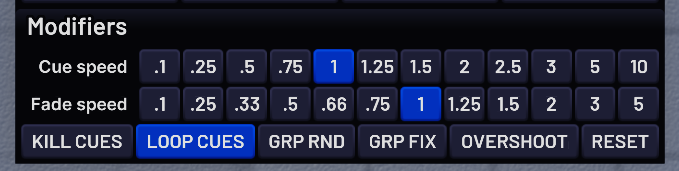
The Cue speed row allows you to choose how fast cues are going. Smaller numbers mean slower cues.
The Fade speed row allows you to choose how long it takes the lights to fade. Smaller numbers mean the lights take longer to fade.
When the Kill Cues modifier is enabled, all cues will end immediately after turning them off. When it's disabled, the cues will finish their cycle before ending.
Disabling Loop Cues causes all cues to turn off automatically after their first cycle
Enabling Group Random (GRP RND) causes random cues to work in numbered groups instead of individually
Enabling Group Fixtures (GRP FIX) will cause bars to be grouped by model instead of by lens. This affects cues and gradient colours. See the example below.

Enabling Overshoot will change the degree ranges of tilt cues, to make them more usable on lights that are on walls
The Reset button will reset everything. You can right-click it to just disable the lights and all cues